


DIGITAL ACCOUNT OPENING
To open a Digital Account, please proceed to the following link:
https://account.nationalsavings.digital/
For Queries related to Digital Account Opening please contact us at following email address:
nsdigitalaccount@savings.gov.pk
The queries will be answered within 7 working days.
MOBILE APP & INTERNET BANKING
For Queries related to National Savings Mobile App and Internet Banking please contact us on following email address:
digital@savings.gov.pk or call us +92 51 111 728 464 or
you can send your complains via Complaint Management through your National Savings App
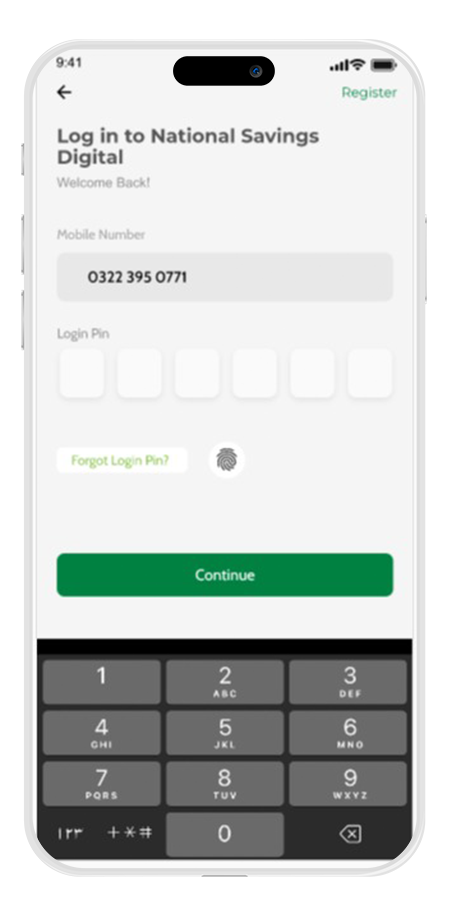
1. Log in to your National Savings Digital.
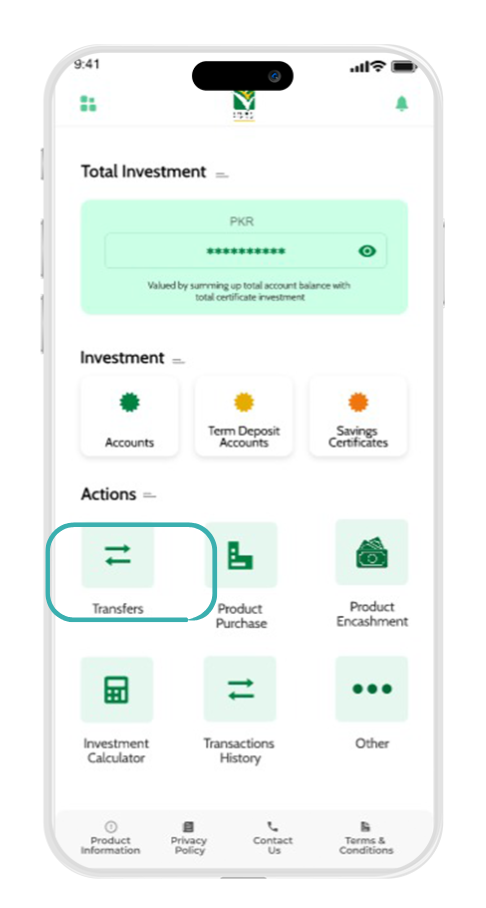
2. Go to the "Transfers" section
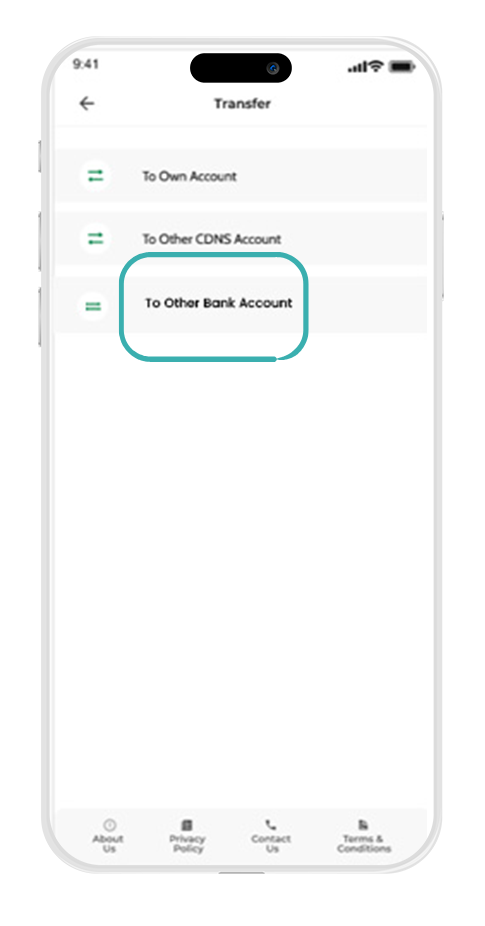
3.Select "To other Bank Accounts"
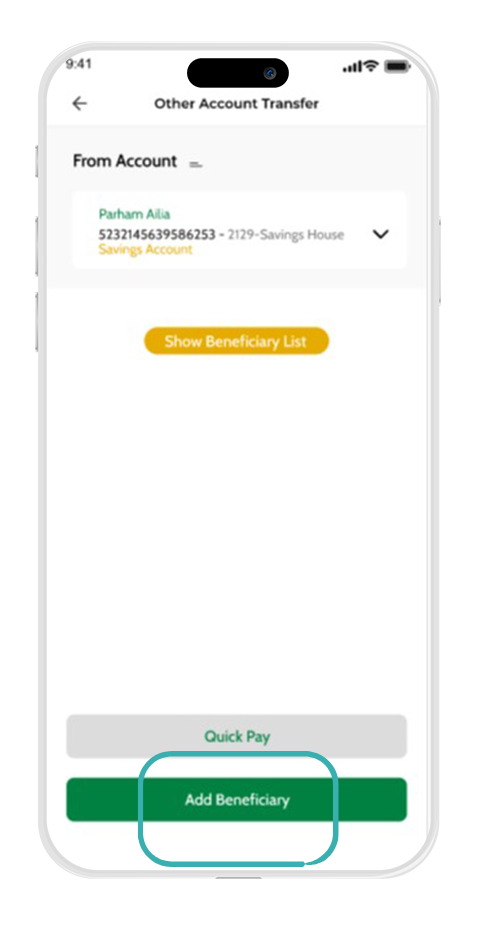
4. Click on "Add Beneficiary"
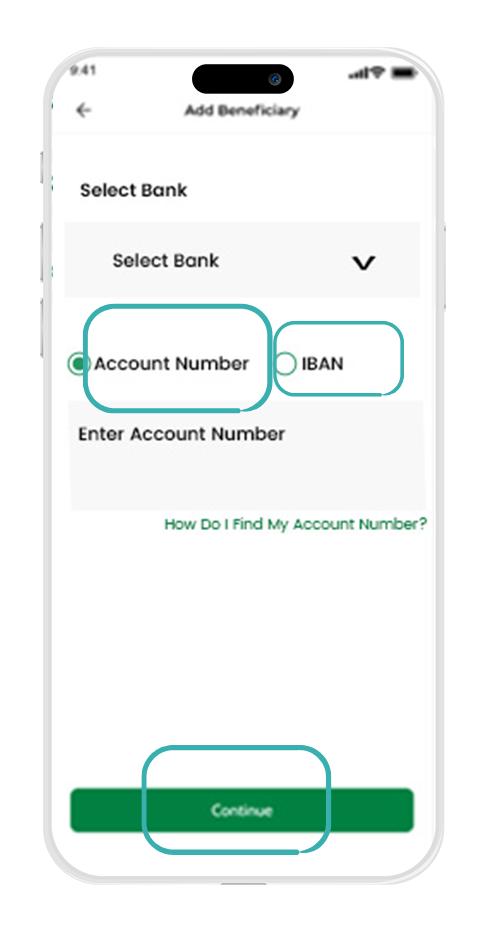
5. Choose "Account Number" or "IBAN" and enter the required details. Click "Continue".
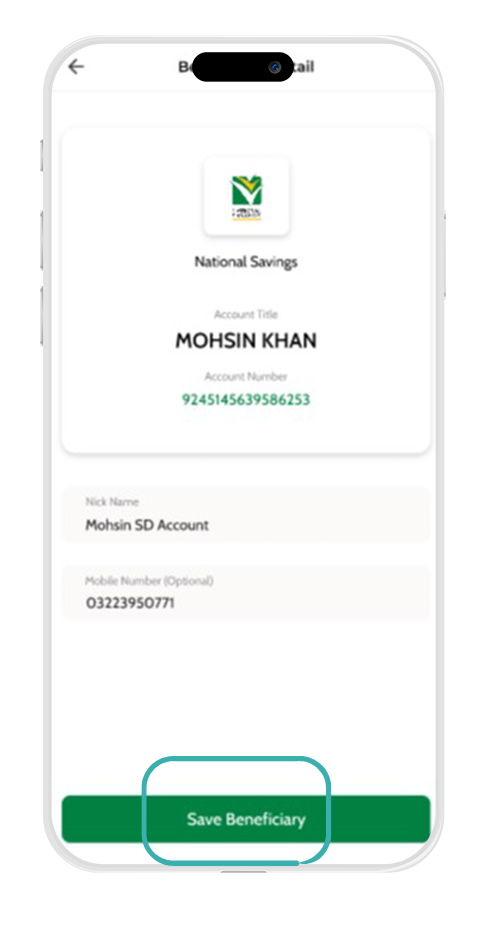
6. The system will automatically detect the account holder’s name. Optionally, enter a Nickname and Number. Click on "Save Beneficiary."
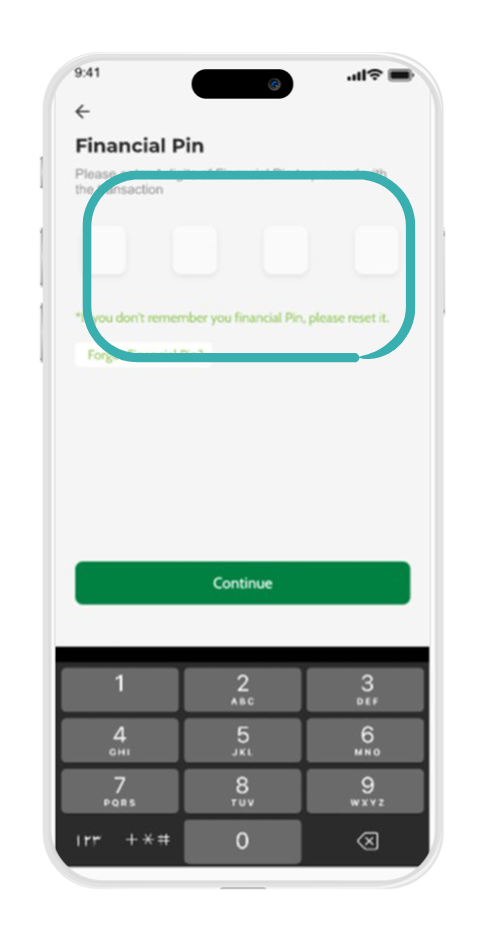
7. Enter your Financial PIN to complete the process.
1. Go to the "Transfers" section
2. Select "To other Bank Accounts"
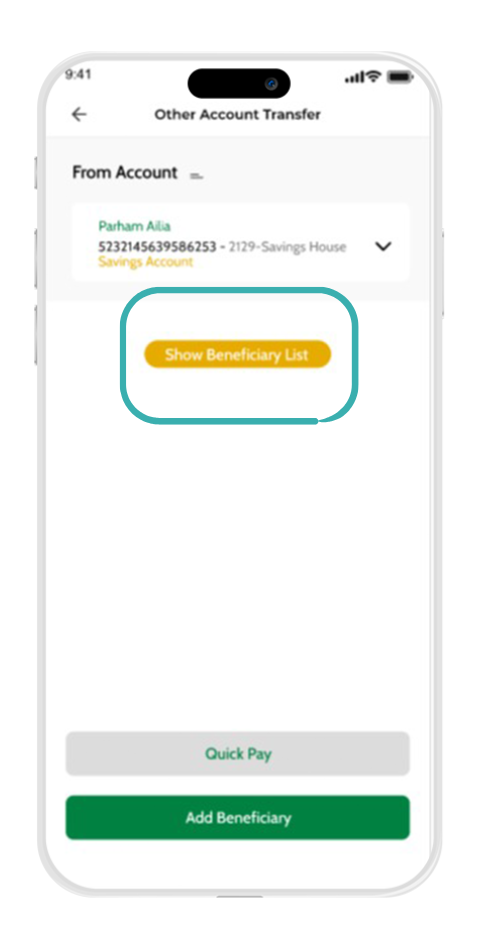
3. Click on "Show Beneficiary List."
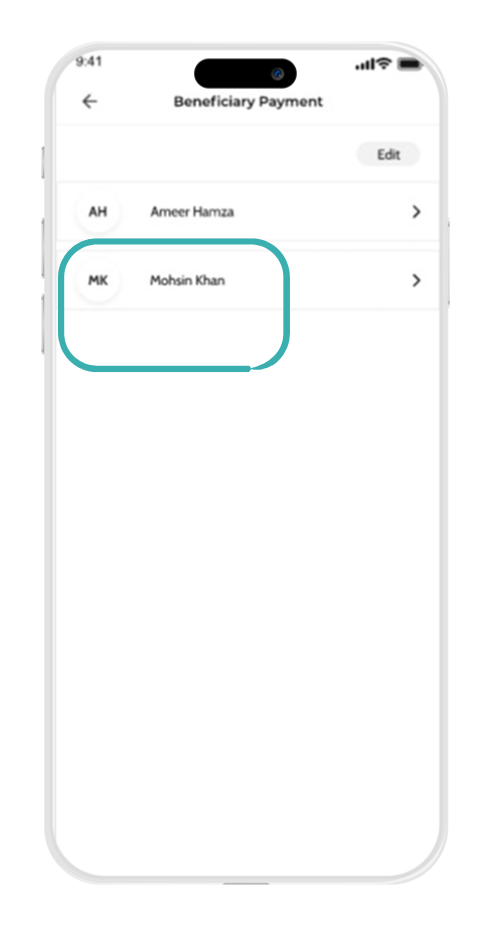
4. A list of saved beneficiaries will appear. Select the desired beneficiary.
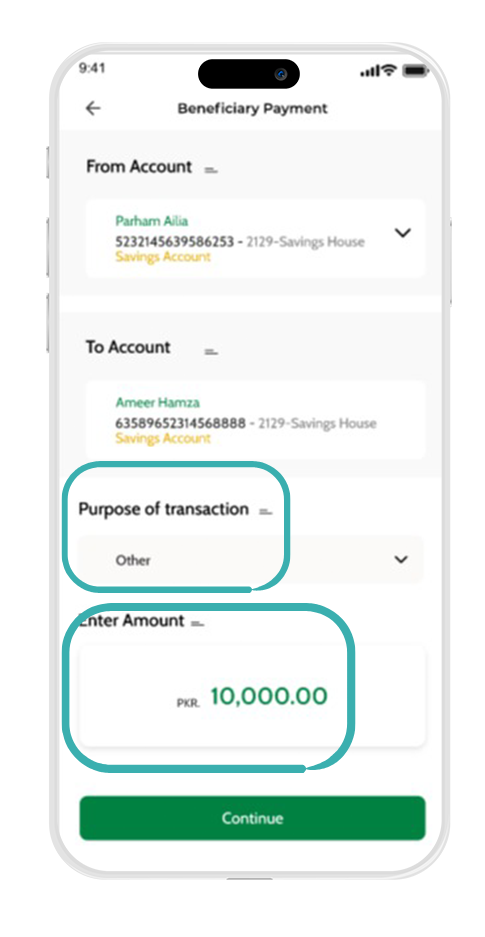
5. Enter the Purpose of transaction and Amount. Click on "Continue"
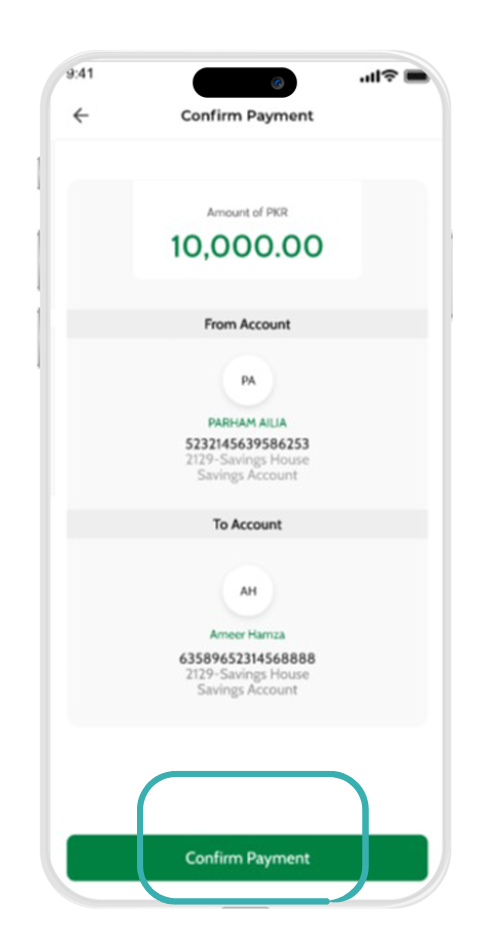
6. A Confirm Payment screen will appear. Review the payment details carefully. Click "Confirm Payment."
7. Enter your Financial PIN to complete the transaction.
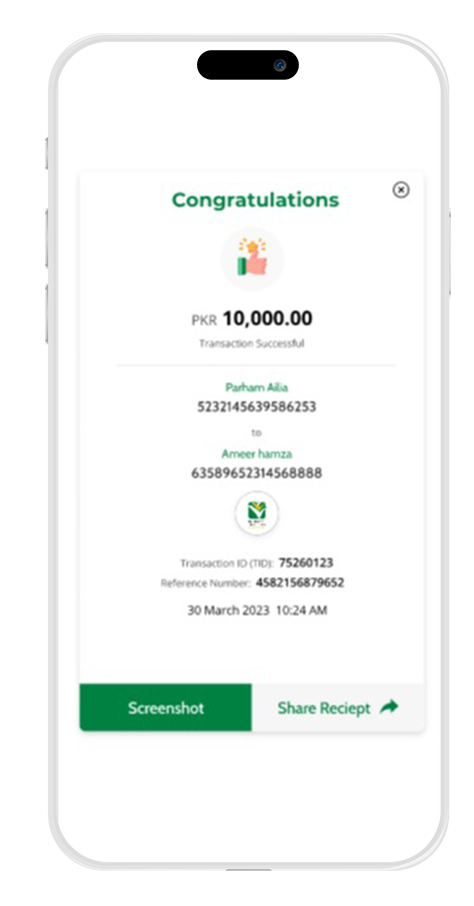
8. You can take a screenshot of the confirmation and share it with the relevant person for reference.